Welcome to the definitive resource for anyone looking to master the art of speedcubing in 2026. Whether you are a beginner in Austin trying to break your first sub-60-second solve, or an advanced competitor in Tokyo aiming for a top-tier average, understanding how to use a Rubik's cube timer is the single most important step in your journey. In today's digital age, the gap between casual puzzling and competitive speedcubing is bridged by specialized software that offers more than just a stopwatch; it provides a complete training ecosystem. This guide will walk you through everything you need to know about modern speedcubing timers, from the basic "hold-to-start" mechanics to advanced statistical analysis like Ao5 (Average of 5) and Ao12.
Speedcubing has evolved from a simple party trick into a globally recognized competitive sport governed by the World Cube Association (WCA). To compete seriously, or even to train effectively at home, you need tools that mimic official competition conditions. A standard kitchen stopwatch simply cannot handle the nuances of WCA inspection rules, scramble generation, or the specific data metrics required to track long-term progress. By the end of this article, you will be equipped with the knowledge to select the right tool, configure it perfectly for your needs, and interpret your results to achieve faster times.
Why a Dedicated Speedcube Timer Beats a Generic Stopwatch
In 2026, the internet is flooded with generic timer applications. While a standard stopwatch can tell you how many seconds passed, it fails to capture the essence of speedcubing practice. The difference lies in functionality, adherence to regulations, and data depth. A dedicated speedcubing timer is engineered specifically for twisty puzzle enthusiasts, offering features that transform raw time data into actionable insights.
The Critical Role of WCA Compliance
Official competitions adhere to strict World Cube Association (WCA) regulations. One of the most crucial aspects is the inspection period. Before a solver begins their solve, they are granted exactly 15 seconds to inspect the scrambled cube. During this time, they can look at the cube but cannot make any moves. A professional timer replicates this experience with a countdown timer, often accompanied by audio alerts at 8 and 12 seconds. Without this feature, solvers cannot train under realistic competition pressure, leading to poor performance when actual timing begins.
Scramble Generation and Fairness
Another hallmark of a professional timer is its ability to generate WCA-conformant scrambles. These are mathematically randomized sequences of moves that ensure every solve starts from a unique, fair state. Unlike random button presses on a generic app, these algorithms follow specific constraints to prevent predictable patterns. For events like the 3x3x3 Cube, the scramble must be long enough to ensure chaos but short enough to be solvable within a reasonable timeframe. Using a timer with proper scrambling ensures that your practice sessions reflect real-world challenges rather than rehearsed patterns.
Data Analytics for Real Progress
The true power of a dedicated timer lies in its statistics engine. Simple timers show you a list of times. Advanced timers calculate rolling averages such as Ao5 (Average of 5), Ao12 (Average of 12), and session means. These metrics are vital because a single fast solve (a "PB" or Personal Best) can be misleading due to luck, a lucky skip, or a particularly easy scramble. By focusing on averages, you filter out outliers and identify your true skill level. Tracking your Ao5 over months reveals trends that a single best time never could, allowing you to make informed decisions about what to practice next.
Mastering the Core Mechanics: How to Start and Stop Timing
Understanding the physical interaction with the timer is the first hurdle for new users. While interfaces vary slightly between desktop web apps and mobile Progressive Web Apps (PWAs), the core logic remains consistent across all major platforms like csTimer, scTimer, and Cube Quest. The industry standard for starting a timer is the "Hold-to-Start" mechanism.
The Hold-to-Start Protocol
This mechanic is designed to simulate the precision of hardware timers used in official WCA competitions, such as the Stackmat. Here is the exact workflow you should follow every time you sit down to solve:
- Preparation: Ensure your cube is ready and you are focused. Place your finger on the designated start area. On a computer, this is usually the Spacebar. On a mobile device, it is a large touch-sensitive button on the screen.
- Holding: Press and hold the key or touch the screen immediately. You will see the timer display change, often turning green or showing a countdown if inspection mode is active.
- Readiness: Wait until the indicator confirms the system is ready. This prevents accidental starts caused by a momentary tap.
- Release: Once the timer is green and ready, release the spacebar or lift your finger. The clock officially starts counting.
- Solving: Focus entirely on solving the cube as quickly as possible.
- Stopping: As soon as the last piece clicks into place, press the spacebar again or tap the stop button. The timer will freeze and record your time in hundredths of a second.
This method eliminates human reaction time errors associated with pressing a button after seeing the time stop. It forces you to react precisely at the moment of completion, mirroring the split-second precision required in high-level competition.
Inspection Mode Configuration
One of the most powerful settings in a modern timer is the optional 15-second inspection. When enabled, the timer will begin a visual and auditory countdown before you are allowed to release the start key.
- Why use it? It trains your brain to utilize the inspection phase efficiently. Many cubers waste inspection time staring blankly or planning moves poorly.
- How to use it: Toggle the "Inspection" switch on your timer interface. Listen for the audio cues at 8 and 12 seconds. Use these warnings to finalize your cross plan and check for parity cases on larger cubes.
- When to skip it: If you are doing warm-up solves or practicing specific algorithms where the scramble doesn't matter, you can skip inspection to increase your volume of solves per hour. However, for serious training, always keep it on.
Decoding Statistics: Understanding Ao5, Ao12, and Session Averages
Once you have been timing your solves for a while, you will encounter a wall of numbers. What do they mean, and which one should you care about? Moving beyond the "Best Time" is essential for genuine improvement.
Single Times: The Noise vs. The Signal
The Single time is your fastest or slowest individual solve in a session. While exciting when you hit a new Personal Best (PB), singles are statistically noisy. They are heavily influenced by variance factors such as:
- Scramble Difficulty: Some scrambles naturally lead to faster or slower solves due to case distribution.
- Mental State: A bad day, a distraction, or a momentary lapse in concentration can spike your time.
- Luck: Sometimes, you get a scramble where your preferred method works exceptionally well.
Relying solely on singles can be demotivating when you have a slow day or falsely confident when you get lucky. Use singles primarily for motivation, not for strategic decision-making.
Average of 5 (Ao5): The Gold Standard for Practice
The Ao5 is widely considered the most useful metric for intermediate and advanced cubers. It calculates the average of your last five solves, excluding the fastest and the slowest time.
- Example: If your last five solves were 12.50, 13.20, 11.80, 14.00, and 12.10, the Ao5 is calculated by dropping 11.80 and 14.00, leaving 12.50, 13.20, and 12.10. The average of these three is roughly 12.60.
- Why it matters: By removing the extremes, the Ao5 smooths out the noise of a single lucky or unlucky solve. It gives you a much clearer picture of your current performance ceiling. If your Ao5 is improving, you know your consistency is getting better, regardless of whether you had one fantastic single or one disastrous drop.
Average of 12 (Ao12) and Long-Term Trends
For serious competitors tracking progress over months or years, the Ao12 becomes increasingly important. As the sample size grows to 12 solves, the influence of any single outlier diminishes further.
- Stability: An improving Ao12 indicates that your skills are stabilizing. You are less likely to have catastrophic failures (DNFs) or miraculous flukes affecting your overall trend.
- Competition Readiness: Many unofficial rankings and internal club competitions use Ao12 as the primary statistic because it best represents a solver's reliable capability.
Session Averages and Weekly Reviews
Don't forget to look at the Session Average. This is the mean of all timed solves in the current batch. It is useful for reviewing your overall effort during a specific practice block. However, for deep analysis, group your sessions by week. Look for trends where your worst solves are getting closer to your average, or where your F2L pauses are decreasing. This holistic view helps you identify plateaus and breakthroughs that isolated numbers might miss.
Choosing the Right Tool: Desktop vs. Mobile and Feature Comparison
With the rise of browser-based technologies, you no longer need to install heavy software to access world-class timing tools. Most top-tier timers now function as Progressive Web Apps (PWAs), meaning you can add them to your home screen on iOS or Android, and they will behave like native applications.
Top Contenders in 2026
Based on community usage and feature sets in 2026, here are the leading options:
- csTimer: Renowned for its extensive library of algorithms and training modules. It supports specific sub-step training (F2L, OLL, PLL) and offers a clean, minimalist interface. It is excellent for cubers who want to drill specific weaknesses alongside general timing.
- scTimer: Often favored by competitive athletes for its robust statistics dashboard. It supports a vast array of events beyond the 3×3, including Blindfolded, One-Handed, and Fewest Moves. Its connection to Stackmat hardware makes it ideal for those preparing for official tournaments.
- Cube Quest / Cube Timer: These are great for quick, no-frills practice. They excel in simplicity, generating scrambles instantly and saving local storage automatically. They are perfect for warm-ups or casual daily reps without the overhead of complex menus.
Desktop vs. Mobile Workflow
- Desktop Experience: Ideal for detailed analysis. You can easily view graphs of your progress, export CSV files of your solves, and manage multiple sessions side-by-side. The keyboard shortcuts (Spacebar) offer the fastest input method.
- Mobile Experience: Essential for practice on the go. Modern mobile timers utilize touch screens effectively, allowing you to hold and release directly on the device. Many support offline mode, meaning you can practice in areas with poor Wi-Fi without losing your session data.
Key Features to Look For
When evaluating a timer for 2026, ensure it includes:
- WCA Compliant Scrambles: Must follow current algorithm standards.
- Audio Alerts: Crucial for inspection timing.
- Local Storage Backup: Ensures you don't lose your history if you clear your browser cache.
- Multi-Language Support: Useful for international learners.
- Algorithm Trainer Integration: Some timers allow you to view the solution path after a solve, helping you learn from mistakes immediately.
Strategic Training: How to Analyze Your Data for Faster Solves
Having the data is only half the battle; interpreting it correctly is where the magic happens. A timer is not just a scoreboard; it is a diagnostic tool. To truly improve, you must adopt a systematic approach to analyzing your session logs.
The Power of Solve Notes
The most effective way to use a timer is to combine it with solve notes. After every solve, take 10 seconds to write a brief comment. You don't need a journal entry; just a keyword or two.
- Cross Issues: Did you struggle to plan the cross? Note "Cross planned late."
- Pause Locations: Where did you hesitate? "F2L pause," "OLL recognition," or "PLL execution."
- External Factors: "Dropped cube," "Lockup," or "Bad scramble."
- Success Factors: "Smooth flow," "Good lookahead," or "Clean execution."
Over a week, review your notes alongside your times. You might find that your times are consistently slow on Tuesdays because you are tired, or that your OLL times improve drastically after you spend Monday drilling specific algorithms. This qualitative data paired with quantitative times creates a complete picture of your performance.
Avoiding the "Single Time Trap"
A common mistake among aspiring speedcubers is chasing a new PB single. While hitting a 7.50 is thrilling, it shouldn't dictate your training strategy unless it is backed by consistent Ao5 improvement.
- Strategy: If you get a PB single but your Ao5 stays the same or gets worse, ignore the single. It was likely an anomaly. Focus your energy on reducing your average instead.
- Patience: Speedcubing progress is non-linear. You might have a session where your times fluctuate wildly, followed by a week of steady improvement. Trust the Ao12 and the weekly trends, not the daily highs and lows.
Structuring Your Practice Sessions
Use the timer to structure your workouts. Don't just solve randomly.
- Warm-up: Do 5 solves with inspection off or very short inspection to get your hands moving.
- Focused Drill: Set a goal. For example, "I will focus only on my Cross efficiency for the next 10 solves." Use the timer to track if your cross times are dropping.
- Standard Session: Perform a full session of 12 solves with full inspection and timing. Record your Ao5 and Ao12.
- Cool-down: Review your notes and stats. Identify one thing to work on tomorrow.
By treating your timer as a coach rather than a judge, you turn every solve into a learning opportunity. The goal is not perfection on every single attempt, but consistent upward movement in your averages over time.
Advanced Techniques for Maximizing Timer Utility
Once you have mastered the basics of starting, stopping, and interpreting your raw data, the next step is to leverage advanced timer features that simulate high-pressure environments. One such feature is the "Randomize Inspection" mode. In official competitions, the scramble is generated before inspection begins, meaning the solver does not know what they are looking at until the clock starts ticking down. Many advanced desktop timers offer a setting where the scramble generation and the inspection countdown happen simultaneously or with a randomized delay. This prevents solvers from developing the habit of "pre-planning" a scramble while waiting for the timer to start, forcing them to rely on their immediate pattern recognition skills during the actual 15-second window.
Another sophisticated utility is the Split Time Analysis. While standard timers record the total time, some professional-grade tools allow for manual split recording or automatic detection of major milestones (though this requires careful calibration). By breaking down your solve into segments—Cross, F2L, OLL, PLL—you can pinpoint exactly where your speed is being lost. For instance, if your total time is improving but your OLL time remains stagnant, you know immediately where to direct your practice resources. Some timers even integrate with video analysis software, allowing you to sync your timer logs with recorded solves to visually correlate pauses with specific algorithm executions.
Furthermore, consider utilizing the Practice Mode found in many modern applications. Unlike a competitive session where every second counts strictly, practice mode might disable penalties for mistakes or allow for infinite retries on specific scrambles. This is invaluable for drilling difficult algorithms without the stress of ruining your average. You can set the timer to repeat a specific, challenging scramble ten times in a row, focusing solely on muscle memory and execution speed. Once you achieve a consistent time on that specific case, you move to a new scramble. This targeted approach ensures that your training is efficient and directly addresses your weaknesses rather than practicing what you already know well.
The Integration of Hardware: Stackmat and Bluetooth Connectivity
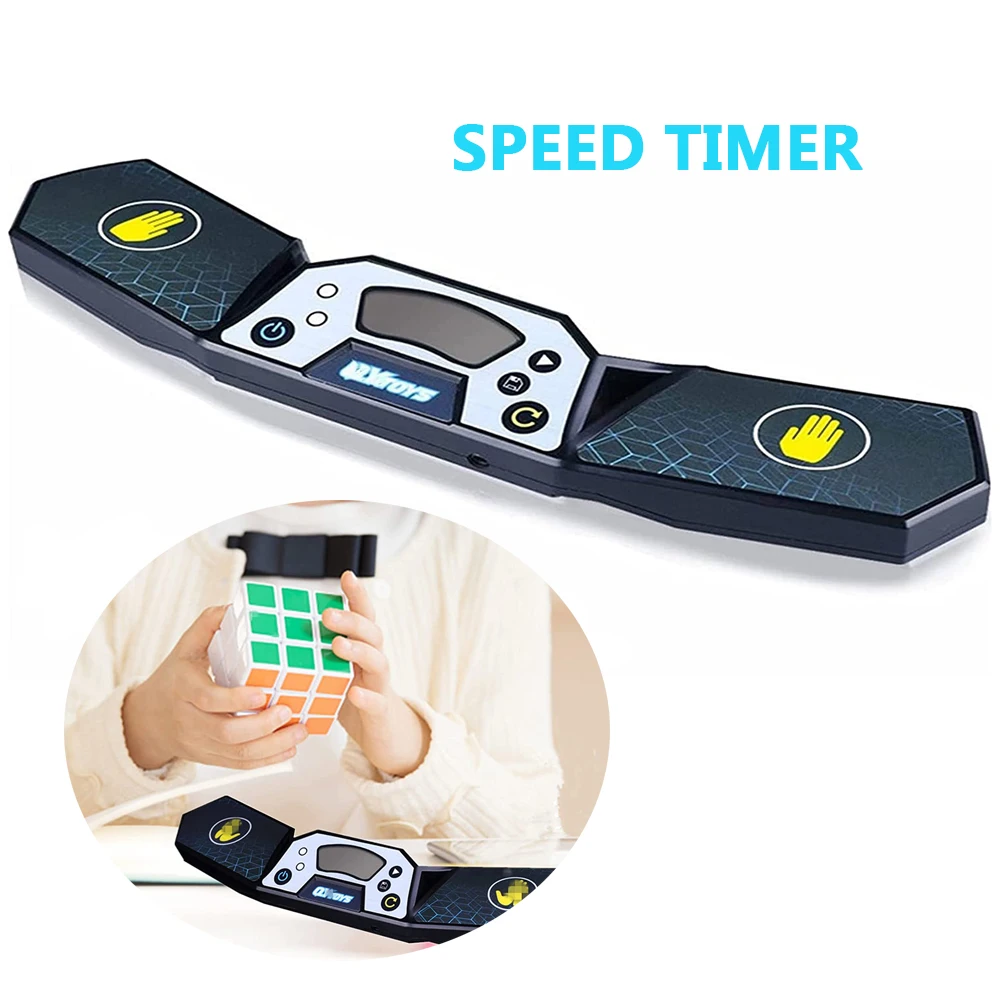
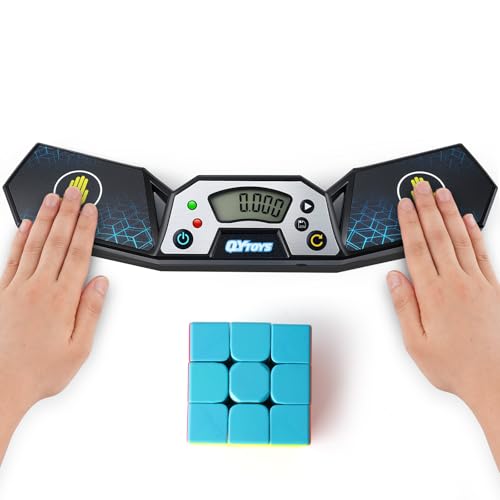
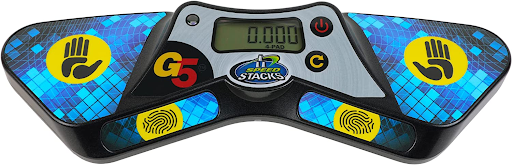
While browser-based timers are incredibly powerful, serious competitors often seek to bridge the gap between software and physical hardware. The gold standard in speedcubing hardware is the Stackmat timer, a specialized device used in almost all WCA-sanctioned events. It features large, pressure-sensitive pads on the top that detect when a solver places their hands on the mat to start and stop the clock. This eliminates reaction time errors entirely, as the timer only registers a press when significant pressure is applied, preventing false starts from accidental taps.
In 2026, the integration of Stackmat hardware with digital timers has reached a level of sophistication previously unimagined. Through Bluetooth connectivity, many modern speedcubing apps can pair directly with these hardware units. When connected, the software receives the raw timing data from the Stackmat, bypassing any potential latency issues with keyboard inputs. This setup provides the ultimate accuracy for competitive training. You can train at home with the exact same feel and precision as you would at a World Championship venue. The software then processes this data, applying the same statistical filters and generating the same WCA-compliant scrambles, creating a seamless loop between physical practice and digital analysis.
For those who cannot afford a dedicated Stackmat, there are now affordable Bluetooth-enabled touchpads designed specifically for home use. These devices mimic the functionality of the professional hardware, offering dual-sided pads that trigger the timer when touched. Connecting these to your computer or tablet via an app allows you to enjoy the "hold-to-start" experience without relying on keyboard shortcuts, which can sometimes be inconsistent depending on your operating system or peripheral setup. Whether using high-end competition gear or budget-friendly accessories, the goal remains the same: to remove mechanical friction so that your focus remains entirely on your cubing technique.
Building a Long-Term Training Ecosystem
Speedcubing is a marathon, not a sprint. To sustain progress over years, you must build a robust training ecosystem centered around your timer. This involves establishing a routine that balances volume, variety, and recovery. A common pitfall for young cubers is burnout, caused by practicing too intensely without adequate rest or variety. Your timer can help mitigate this by encouraging structured sessions. Set limits on the number of solves per day based on your current goals. If your Ao5 is stagnating, it might be a sign that you need to take a break rather than grinding out more solves, which could lead to frustration and bad habits.
Integrate your timer data into a broader training journal. While the timer provides the numbers, the journal provides the context. Over time, you will notice patterns that pure statistics miss. Perhaps you perform best in the morning when your mind is fresh, or maybe your consistency drops significantly after lunch. Understanding these biological rhythms allows you to schedule your most important practice sessions during your peak performance windows. Additionally, track your "warm-up" times separately from your "competition" times. Many cubers find that their initial solves are slower due to stiffness, but once they get going, their times improve dramatically. Knowing your baseline warm-up time helps you determine how much practice you need before a tournament to ensure you are fully ready.
Community engagement also plays a vital role in this ecosystem. In 2026, online communities are more vibrant than ever, with forums and Discord servers dedicated to sharing timer data and strategies. Many of these platforms allow you to export your session data and share it anonymously with peers. Seeing how others in your age group or skill bracket are progressing can provide immense motivation. It transforms solitary practice into a shared journey, where you can celebrate collective breakthroughs and troubleshoot common challenges together. The timer becomes a social connector, linking you to a global network of enthusiasts who are pushing the boundaries of what is possible with a Rubik's Cube.
Frequently Asked Questions (FAQ)
Q: Do I really need a dedicated speedcubing timer app, or can I just use my phone's stopwatch?
A: While a phone stopwatch can tell you how long a solve took, it lacks the critical features required for serious improvement. Dedicated apps provide WCA-compliant scrambles, mandatory 15-second inspection timers with audio cues, and advanced statistical analysis like Ao5 and Ao12. Without these, you cannot accurately simulate competition conditions or identify true areas for improvement, as random noise in your times will skew your perception of progress.
Q: What is the difference between a Single time and an Average of 5 (Ao5)?
A: A Single time is your fastest or slowest individual solve in a session. It is highly volatile and can be influenced by luck, a particularly easy scramble, or a momentary lapse in concentration. The Ao5 (Average of 5) calculates the mean of your last five solves after removing the fastest and slowest times. This metric smooths out outliers and provides a much more reliable indicator of your actual skill level and consistency.
Q: Can I use a speedcubing timer on my mobile phone without an internet connection?
A: Yes, most modern speedcubing timers function as Progressive Web Apps (PWAs) or have dedicated offline modes. Once you load the application initially, you can typically generate scrambles, start/stop the timer, and save your session data locally on your device without needing an active internet connection. This makes them perfect for travel or practicing in areas with poor Wi-Fi coverage.
Q: How often should I review my timer statistics to see real progress?
A: While daily checks can be motivating, meaningful trends usually emerge over weeks or months. Reviewing your data daily might lead to obsession over single-times. Instead, aim for a weekly review where you look at your session averages and Ao5 trends. This frequency allows enough data points to filter out daily anomalies while keeping you engaged with your long-term goals.
Conclusion: Your Journey to Mastery Starts Now
The path to becoming a proficient speedcuber is paved with countless hours of practice, patience, and precise measurement. In 2026, the tools available to facilitate this journey are more powerful and accessible than ever before. By mastering how to use a Rubik's cube timer, you transform from a casual puzzler into a disciplined athlete capable of analyzing and improving their performance with scientific rigor. The transition from relying on guesswork to leveraging data-driven insights is the defining characteristic of the modern speedcuber.
Remember that the timer is merely a tool; the real magic happens in the moments between the starts and stops. It is in those seconds of intense focus, where you visualize moves before they happen and execute them with fluidity, that mastery is forged. Use the inspection period wisely, trust the averages over the singles, and embrace the process of continuous improvement. Whether you are aiming to break personal records, compete in local clubs, or simply enjoy the satisfaction of solving faster, the right timer will serve as your constant companion and coach.
As you continue your speedcubing journey, keep in mind that every world record was once a humble personal best. Every sub-10-second solve began with someone struggling to understand the basics of scrambling and timing. By committing to the discipline of regular practice and utilizing the full capabilities of modern timing software, you position yourself to join the ranks of those who have redefined the limits of human dexterity. The cube is in your hands, the timer is ready, and the only variable left to change is your own skill. Start your first timed solve today, hold that spacebar with confidence, and watch your potential unfold one second at a time.